Network cabling documentation has a reputation for becoming a sprawling audit: racks photographed from every angle, spreadsheets with hundreds of columns, and a project that stalls before anyone has labelled the first patch lead. It does not have to be that way. Start with the information that helps someone understand the network, make a safe change and restore service when something fails. Add detail as you go.
Good cable plant documentation is more than an office convenience. Physical infrastructure is part of cybersecurity, not a separate concern. A wrongly patched port, an unknown switch or a cable that bypasses the intended security boundary can undermine a carefully designed network. And when a physical fault disrupts traffic, it can create security blind spots as well as an outage.
The practical aim is not to document every cable in the building perfectly. It is to create a trustworthy baseline, then keep it current through routine work. Here is a manageable approach for doing that.
Why cabling records matter to security
Security controls often get discussed as if they live entirely in software: firewall rules, endpoint detection platforms, identity policies and alerts. In reality, those controls depend on a physical network that behaves as expected. Segmentation, for example, requires capable switching and correct design. If a device is connected to the wrong port or an unmanaged switch quietly joins two areas, the intended boundary may not exist in practice.
Physical layer faults can cause more than lost connectivity. A damaged fibre, a failing transceiver or a badly patched link might force traffic onto an unexpected path, interrupt monitoring, or leave security teams with incomplete visibility during an incident. A forgotten connection can also leave an unused but live port available to someone with physical access. Mystery cables are a security smell: they make it harder to know what is connected, where it goes and whether it should be there.
Guidance from the Australian Cyber Security Centre (ACSC) assumes solid network foundations. Its advice on securing networks is much easier to put into effect when an organisation understands its equipment, connections and boundaries. Documentation does not replace configuration controls or monitoring, but it helps teams verify that the physical network supports them.
Define “good enough” before you start
A common reason documentation projects balloon is that nobody agrees what the end product needs to do. Before opening a spreadsheet, decide which questions your records must answer. For most organisations, a useful first version should let a technician establish:
- Which racks, cabinets and rooms contain network equipment? What device is at each location, and how can it be identified? Where does a given cable run begin and end? Which switch, port, patch-panel position or outlet is involved? Which connections support critical services or cross a security boundary? What should happen when a link fails at 2am?
That final question is a good test of whether the records are useful. A person on call should be able to identify the relevant link and the next safe step without relying on the memory of someone who is asleep, on leave or no longer with the organisation.
Keep the first scope deliberately narrow. Start with the main communications room, core and distribution switches, firewall connections, critical server links and any links between corporate, guest, wireless or operational technology networks. You can document less critical office outlets later. An accurate record of the paths that matter is more valuable than an ambitious inventory that nobody trusts.
Build a small set of useful records
You do not need a specialist platform to begin. A controlled spreadsheet, a simple diagram and a clear labelling system can provide a solid foundation. The important part is consistency: choose a format people can follow, nominate an owner and keep the source files somewhere the team can find them.
1. Create an equipment and location inventory
List the rooms, racks and cabinets first, then the equipment in them. Record a stable device name, make and model, role, rack location, management address if appropriate, and the person or team responsible. Include switches, patch panels, firewalls, wireless controllers, fibre shelves, UPS units and any other equipment that affects connectivity.
For hardware such as Cisco switches or MOXA industrial switches, note the model and where the device sits in the network. In operational technology environments, record the cabinet and area served as well as the device name. A switch labelled only “SW-04” is much less helpful than “OT-SW-04, Packaging Line cabinet, top rail”. Do not put passwords in a cabling spreadsheet. Store credentials in an approved password manager.
2. Record cable endpoints, not just cable colours
A cable record should describe both ends. For a simple copper link, that might be “Rack A, switch SW-01, port 1/0/12 to patch panel PP-02, position 24”. For a fibre connection, add the fibre type, strand or pair, connector type and any relevant intermediate panel. Record the destination and purpose when known, such as an access point, server, firewall interface or link to another cabinet.
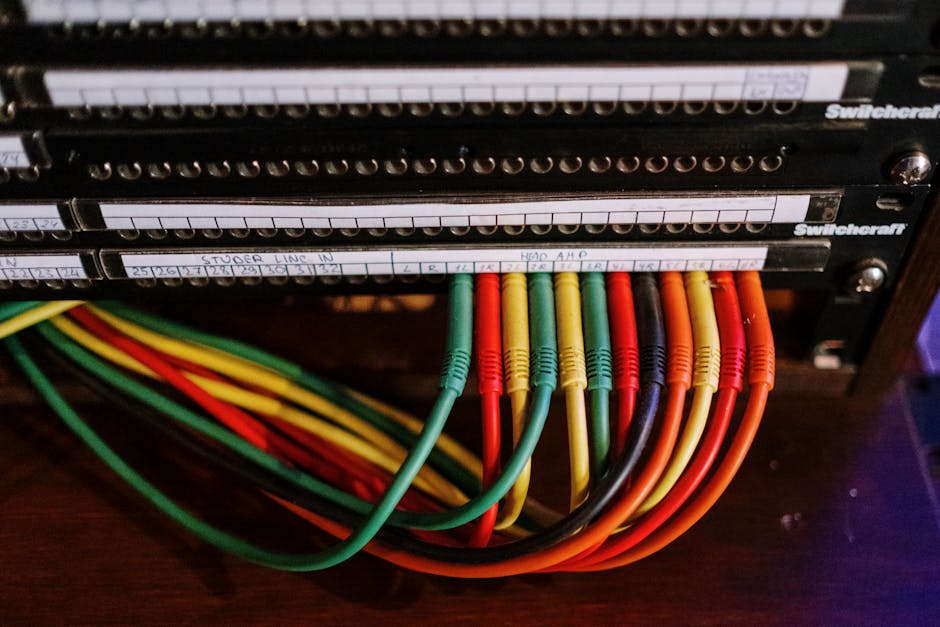
Colour can help technicians recognise cable functions, but it is not a reliable identifier by itself. Organisations change suppliers, colours fade, and someone will eventually use the nearest available lead. Use a written identifier as well. If a connection is critical or crosses a security boundary, record that significance explicitly rather than expecting people to infer it from a colour.
3. Draw rack diagrams for the places that matter
Useful rack diagrams do not need to be architectural drawings. A clean front-view diagram showing rack units, device names, patch panels, switches and cable-management space is often enough. Add the rack name, room, date and revision. If a cabinet has rear-mounted equipment or fibre shelves, show those too, or provide a separate rear view.
Keep diagrams at a level that supports a task. If an engineer needs to find a switch uplink, the diagram should make that obvious. If a rack is dense, separate the physical layout from the logical network diagram rather than cramming both into one unreadable picture. Link the diagrams to the equipment inventory so a device can be found in either direction.
Choose labelling conventions people can maintain
Consistent labelling conventions are more valuable than elaborate ones. Agree on a small set of rules and publish examples. A typical label might identify the cable at both ends, using a format such as:
Building–Room–Rack / Device–Port <—> Building–Room–Panel–Position
The exact format matters less than whether it is unique, readable and applied consistently. Decide how you will represent buildings, rooms, racks, patch panels and ports. Avoid names that depend on a person’s memory, such as “the blue cupboard”. Use abbreviations sparingly and keep a short key for any you do use.

Labels should survive normal handling. Use materials suitable for the environment, especially in warm, dusty or industrial locations. Put identifiers near both ends of the cable, where they can be read without disconnecting it. Label patch panels and rack positions as well as cyberdaily.au individual leads. Keep the text legible: tiny labels packed with unnecessary detail can be worse than a clear identifier linked to a record.
For structured cabling runs, record the permanent link identifier at the outlet and patch-panel end. For patch leads, record both connected endpoints. Avoid relabelling a cable to match a temporary change without updating the record. When a connection changes, update the documentation as part of the change—not as a “we’ll tidy that up later” task.
Document the network in layers
Physical and logical diagrams answer different questions. A physical diagram shows rooms, racks, panels, cable paths and equipment locations. A logical diagram shows how networks, VLANs, routing, firewalls and security zones relate. Keep them linked, but do not pretend one can replace the other.
Segmentation depends on capable switching and correct design, then on accurate implementation. A logical diagram may show that an OT network is separated from corporate IT, but the physical records help confirm which switches and uplinks carry those networks. Record important trunk links, firewall interfaces and connections between zones. Include the purpose of a link and its change-control reference where useful.
Vendors and equipment types can be mentioned where they help identify what is installed. For example, a site might use Cisco switching in its corporate network, MOXA equipment in an industrial cabinet, and Garland Technology network TAPs to provide a copy of traffic to monitoring tools. Document the actual topology and role of each device; a vendor name alone does not tell an on-call engineer how the connection works.
Use the documentation during real work
The quickest way to make records stale is to treat them as a one-off project. The easiest way to keep them current is to attach a small documentation step to work that is already happening.
Before a change: check the current record and confirm the physical endpoint. If the record is missing or suspect, verify the connection before unplugging anything. During the change: label new cables and update the relevant port, panel and device entries while the details are in front of you. After the change: test connectivity, confirm that the intended segmentation and monitoring still work, and update the diagram revision or change record. During routine checks: compare a small section of the records with the physical installation. Fix discrepancies as you find them instead of scheduling a huge audit.When working in a live rack, take photographs before and after a change if your policies allow it. A photo is not a substitute for a labelled diagram, but it can help establish the original state. Never rely on photos alone: they can be hard to search, difficult to interpret and quickly out of date.
Prioritise with risk, not perfection
Not every cable needs the same level of detail on day one. Prioritise links whose failure would have a broad impact, links that connect security zones, and connections that are difficult to trace. Include the paths used by firewalls, core switches, critical servers, wireless infrastructure and operational technology. Then extend the records to access switches, office outlets and less critical links.
A sensible minimum may be a verified inventory for core equipment, clear rack diagrams for key rooms, and endpoint records for critical links. Put a date and an owner on each record. Mark unknowns as unknown rather than guessing. A visible gap can be investigated; a confident-looking but incorrect entry can send someone to the wrong port during an outage.
Record Minimum useful information Best first priority Equipment inventory Device name, make/model, role, location and owner Core, distribution, firewall and OT equipment Cable register Identifier, both endpoints, cable type and purpose Uplinks, critical services and zone boundaries Rack diagram Rack name, unit positions, device names and revision Main communications rooms and critical cabinets Logical diagram Networks, VLANs, routing and security boundaries Connections between trusted and less-trusted zonesStore records safely and make them findable
Network documentation can reveal sensitive details about locations, equipment and security boundaries. Store it in an access-controlled repository with backups and version history. Make sure the people who need it during an incident can reach it, including when normal systems are unavailable. Consider keeping an approved offline copy of essential site and rack information for response situations.
Use descriptive filenames and a predictable folder structure. A record called “Network_Final_v7_REALfinal” is not a management system. Include a last-reviewed date, document owner and revision history. Protect detailed diagrams from unauthorised access, but avoid locking them away so tightly that the operations team cannot use them.
Common traps to avoid
- Trying to map everything before publishing anything. Release a useful first version and improve it incrementally. Recording only device names. A switch inventory does not explain which cable connects to which port. Relying on memory or colour. People leave, and cable colours are not a substitute for labels. Ignoring unmanaged equipment. An undocumented switch can bypass intended controls and create a blind spot. Investigate it, replace it or formally account for it. Mixing physical and logical information into one diagram. Keep each view readable and cross-reference them. Leaving the update until later. Later is usually after the person who made the change has forgotten the details.
A small habit beats a big project
Start with one rack, one team and one repeatable format. Verify the most important links, label both ends, produce a clear rack diagram and record what remains unknown. Then make documentation part of every installation, fault response and approved change.
That approach keeps the work manageable while improving security and resilience. When a link fails, the team can trace it faster. When a security incident raises questions about network paths, the physical facts are easier to check. And when someone proposes a segmentation change, the design can be compared with the equipment and cabling that actually exist.
Good cable plant documentation is not a paperwork exercise. It is a practical control over the physical network. Keep it accurate enough to trust, simple enough to maintain, and available when the 2am call comes in.